Choose a practical encoding target
H.264/HEVC options and sharing, quality and resolution presets help prepare supported videos. Target-size ranges are estimates, so check the measured final output.
All apps / Ultimate Video Compressor
software by erehwon.
Make room for what’s next.
Compress MP4, MOV and M4V videos on Mac with H.264 or HEVC, size estimates, sample previews and a batch queue that preserves originals.
Prepare smaller videos for sharing, storage and everyday work. Inspect your source, choose a preset or target size and try a short encoded sample before processing the full clip.
See it in action Help & supportA$11.99
One-time purchase · AUD
Includes GST for Australian purchases.
Secure checkout with Stripe.
Downloads open after the final checkout and release checks.
Actual app screens with demonstration data.
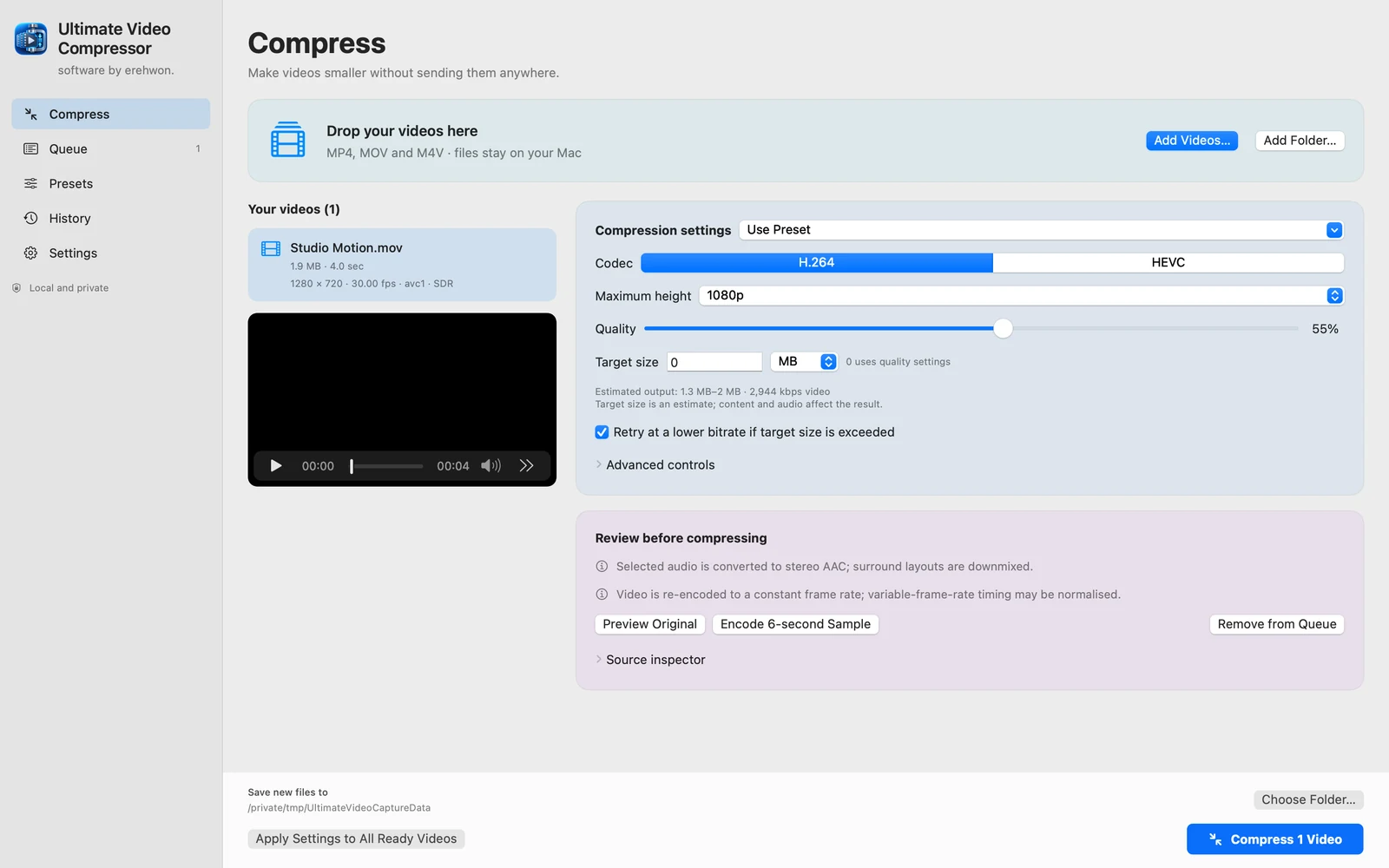
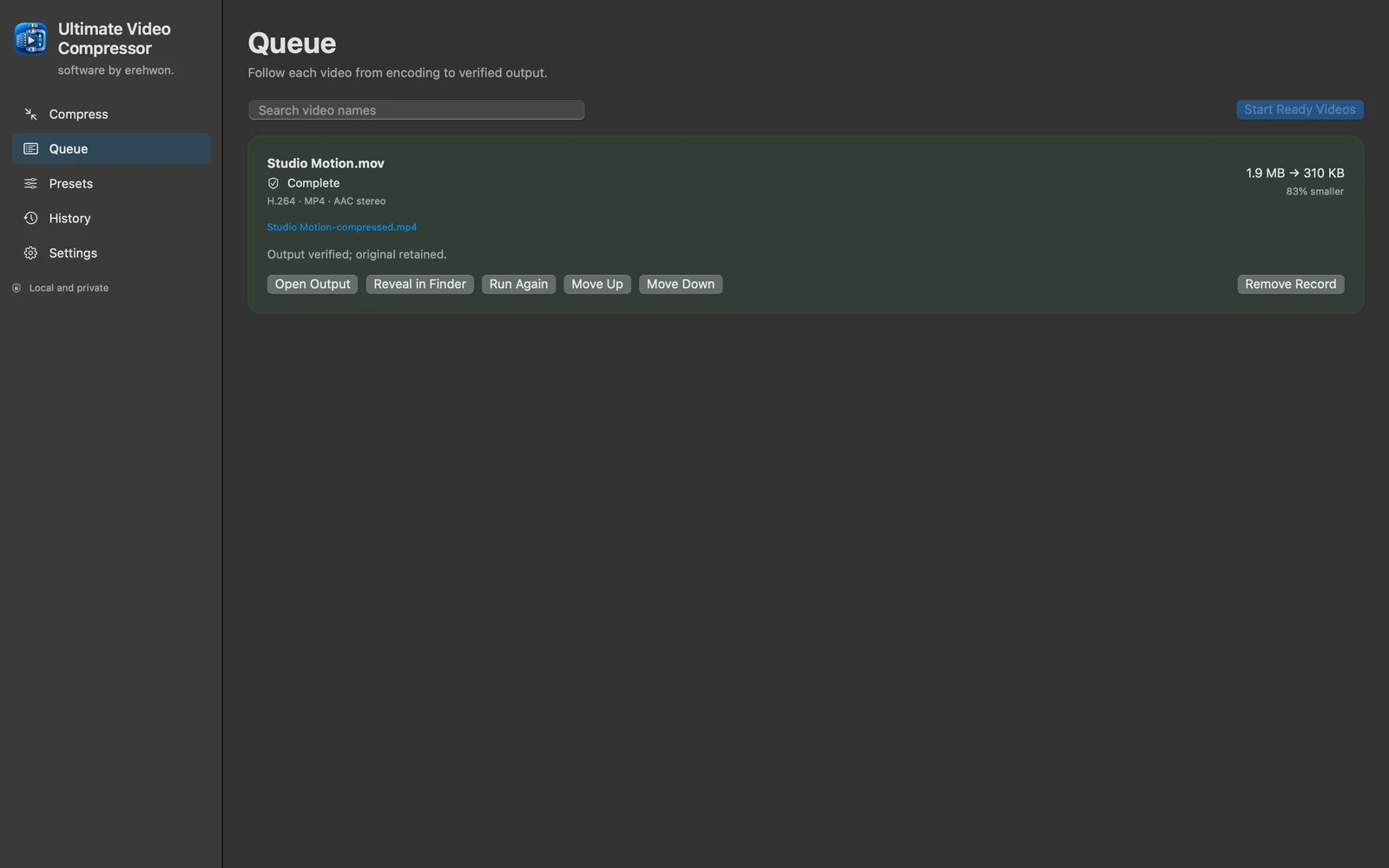
Supported input follows native macOS decoding for MP4, MOV and M4V with one readable video track. Target size is an estimate. Standard PQ/HLG HDR uses a restricted native HEVC path; Dolby Vision and dynamic HDR10+ are not supported. Extra tracks and chapters may be omitted only after acknowledgement. No MKV, AVI or WebM support is advertised.
The feature list describes the available tools. These examples explain how they support a practical workflow, what to review and where the limits matter.
H.264/HEVC options and sharing, quality and resolution presets help prepare supported videos. Target-size ranges are estimates, so check the measured final output.
Sample encoding and side-by-side or wipe comparisons help judge quality before processing a full video. Inspect fine detail and motion relevant to your intended use.
Trim, rotate, crop equal edges and adjust supported SDR frame rate or bitrate. Choose an audio track, use supported audio copy/AAC conversion or remove sound, while reviewing format and track warnings.
A batch queue provides progress, cancellation, retry and history. Collision-safe new outputs retain the original videos so you can compare results or try another setting.
Use the compatibility, access and limitation information on this page when choosing a workflow. Sample screenshots illustrate the app; their records and measured results are not a scan of your own Mac.