Find something you copied earlier
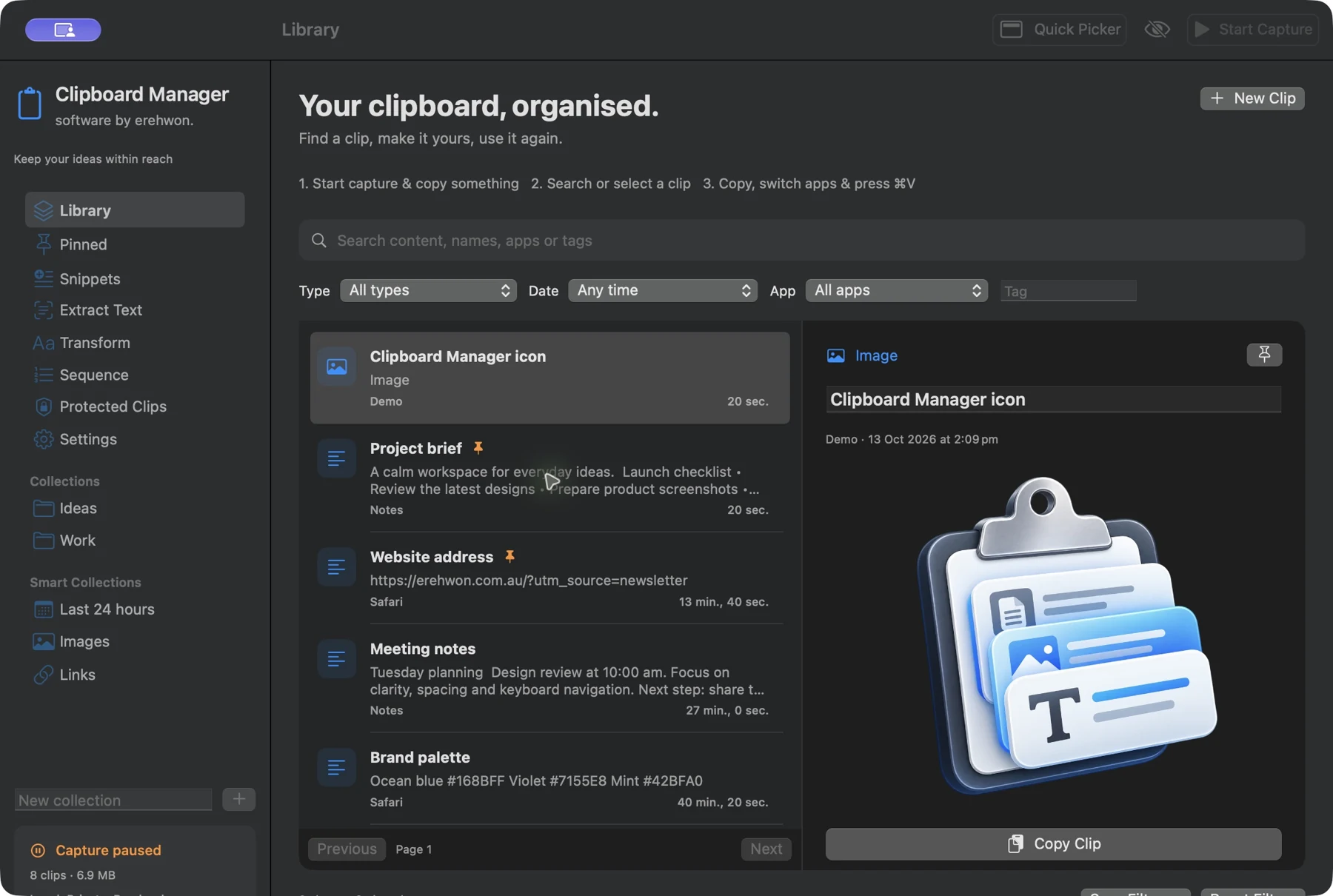
Opt-in capture and filters for type, date, app, tag and collection help you retrieve useful clips. Pins keep frequently reused material close at hand.
All apps / Clipboard Manager
software by erehwon.
Your clipboard, organised.
Keep searchable clipboard history on Mac, organise pinned clips and snippets, clean up text and extract text from images on-device.
Keep useful copies within reach. Find an earlier clip, organise everyday responses and turn saved screenshots into editable text, all in one local Mac workspace.
See it in action Help & supportA$7.99
One-time purchase · AUD
Includes GST for Australian purchases.
Secure checkout with Stripe.
Downloads open after the final checkout and release checks.
Actual app screens with demonstration data.
Automatic replacement of typed abbreviations, automatic pasting and cloud sync are not included. OCR results need review. Protected Clips are excluded from ordinary JSON exports. File clips store references rather than file contents. Privacy markers and app exclusions help, but cannot identify every secret automatically.
The feature list describes the available tools. These examples explain how they support a practical workflow, what to review and where the limits matter.
Opt-in capture and filters for type, date, app, tag and collection help you retrieve useful clips. Pins keep frequently reused material close at hand.
Use snippets with date, time or prompted fields and preview supported text transformations before copying. Paste in the destination app with its normal paste command.
On-device OCR can extract text from saved screenshots, image files and image clips. Check the recognised text before using it; accuracy depends on the source image.
Pause capture, exclude apps and choose retention limits. Protected Clips can use Keychain-managed encryption; that protection should not be confused with encryption of every ordinary clipboard record.
Use the compatibility, access and limitation information on this page when choosing a workflow. Sample screenshots illustrate the app; their records and measured results are not a scan of your own Mac.