Capture tasks with useful context
Add notes, checklist steps, tags and attachments so the next action is easier to understand. Task templates reduce repeated entry for familiar work.
All apps / Daily Tasks
Productivity · Mac
Capture tasks, organise plans and review your day in a focused native Mac workspace.
A$7.99
One-time purchase · AUD
Includes GST for Australian purchases.
Secure checkout with Stripe.
Downloads open after the final checkout and release checks.
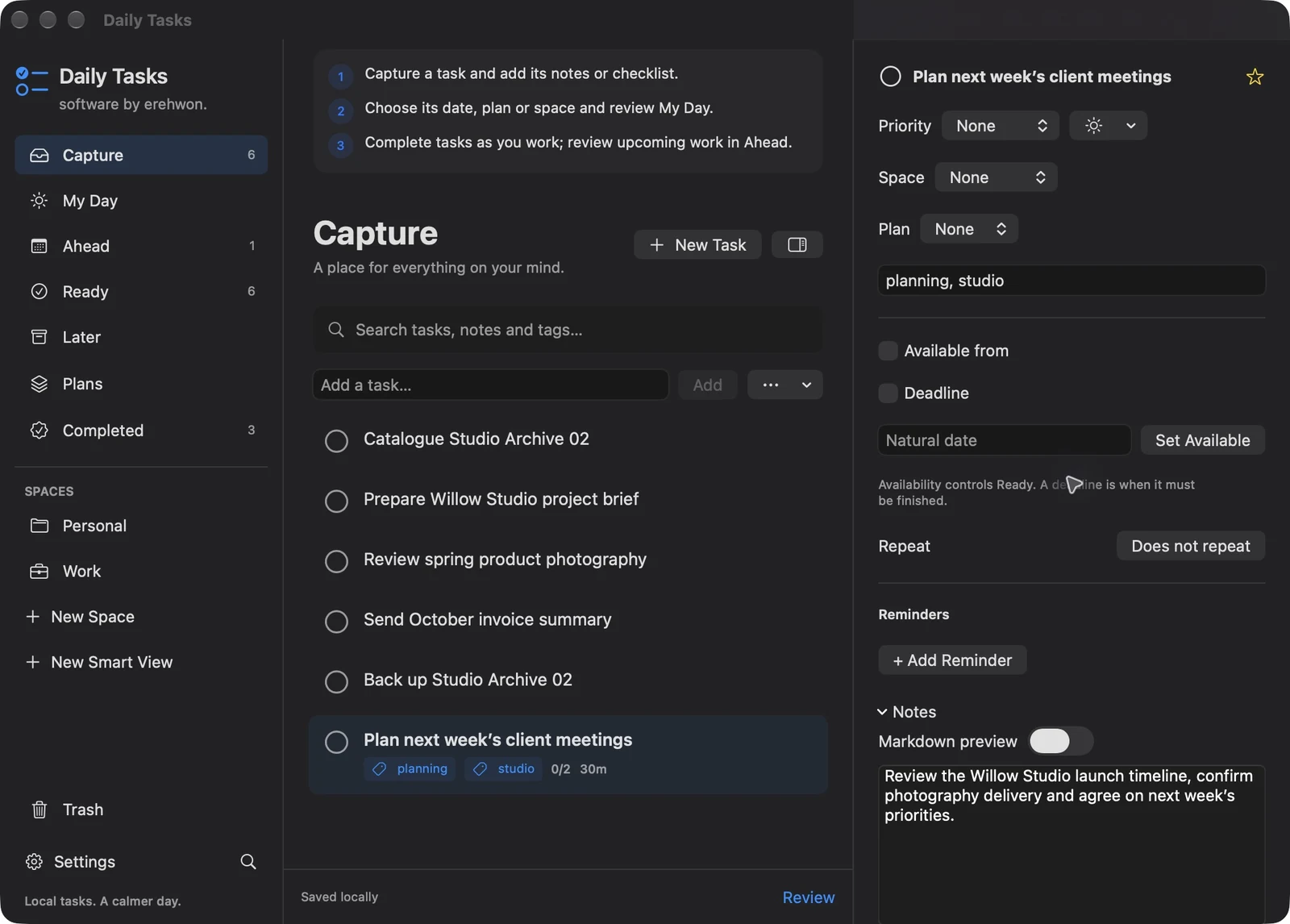
Choose your task, follow the numbered steps and review the result. You can hide instructions or turn off the startup walkthrough in Settings.
Tasks and attachments stay local. Optional Calendar and Notifications features use macOS services; connected calendars may sync through the user’s provider. No erehwon analytics.
Calendar and reminder behaviour must be validated with denied permissions and sleep/wake. No erehwon-hosted collaboration or sync is advertised.
The feature list describes the available tools. These examples explain how they support a practical workflow, what to review and where the limits matter.
Add notes, checklist steps, tags and attachments so the next action is easier to understand. Task templates reduce repeated entry for familiar work.
My Day, Ahead, Ready, Later and Completed views help you choose what to do next. Nested plans organise related work without requiring every task to be scheduled immediately.
Use dates, priorities, estimates, dependencies, recurring tasks and focus sessions to structure work. These are planning tools, not a guarantee of completing every deadline.
Optional calendar connections and notification preferences use macOS permissions. Local backup, import and export provide ways to retain your records; keep independent backups of important tasks.
Use the compatibility, access and limitation information on this page when choosing a workflow. Sample screenshots illustrate the app; their records and measured results are not a scan of your own Mac.