All apps / Batch File Renamer
software by erehwon.
Batch File Renamer
Every name. Clearly planned.
Rename files in batches on Mac with ordered rules, a live before-and-after preview and a review step before anything changes.
Turn a folder of inconsistent filenames into a clear, repeatable naming system. Build your rules, inspect every proposed change and apply the batch when it looks right.
See it in action Help & supportA$7.99
One-time purchase · AUD
Includes GST for Australian purchases.
Buy for A$7.99Secure checkout with Stripe.
Downloads open after the final checkout and release checks.
CompatibilitymacOS 14 or later
ProcessingOn your Mac
AppearanceLight, Dark & System
What you can do
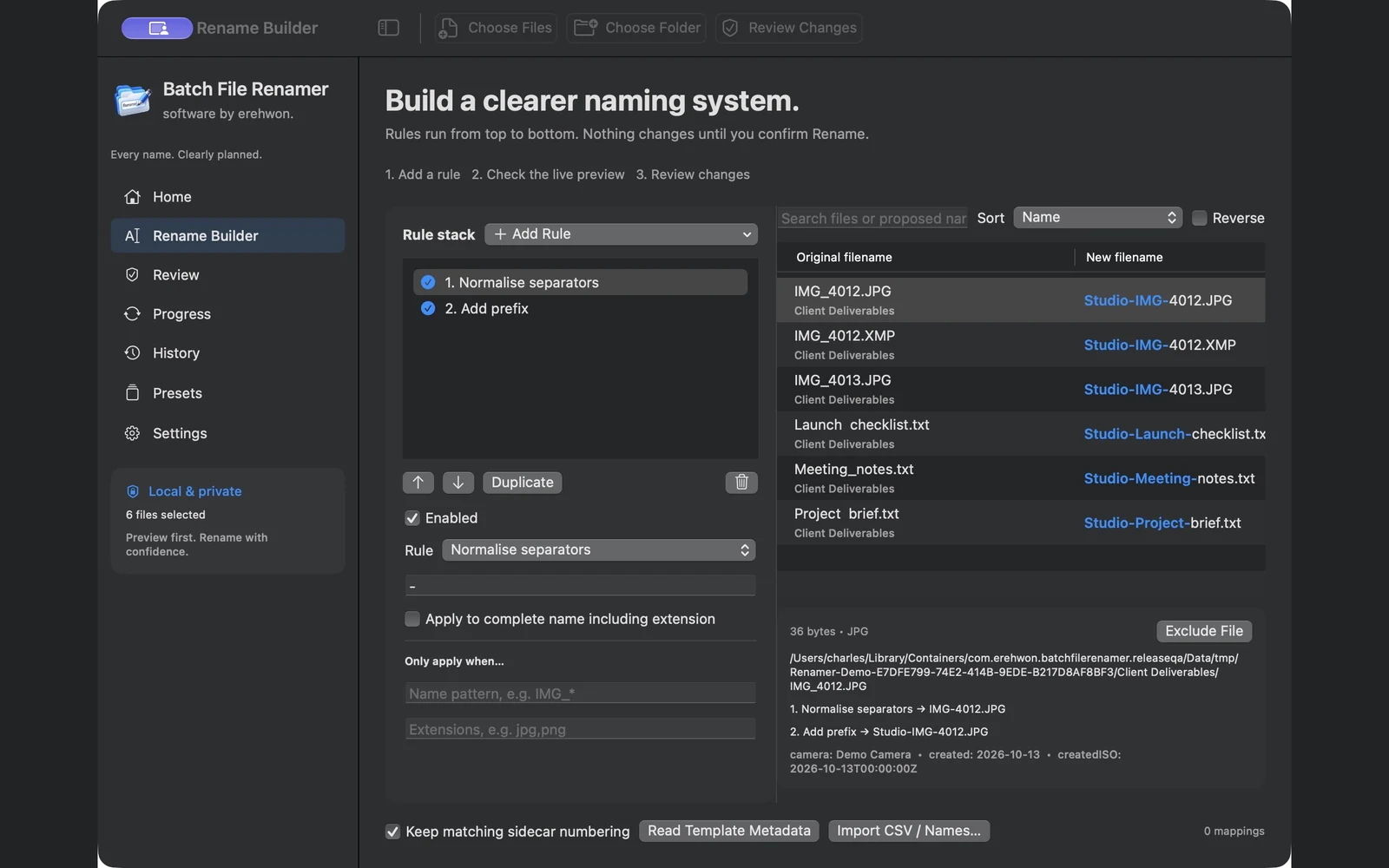
- Stack replacement, prefix, suffix, numbering, date and case rules in the order you need.
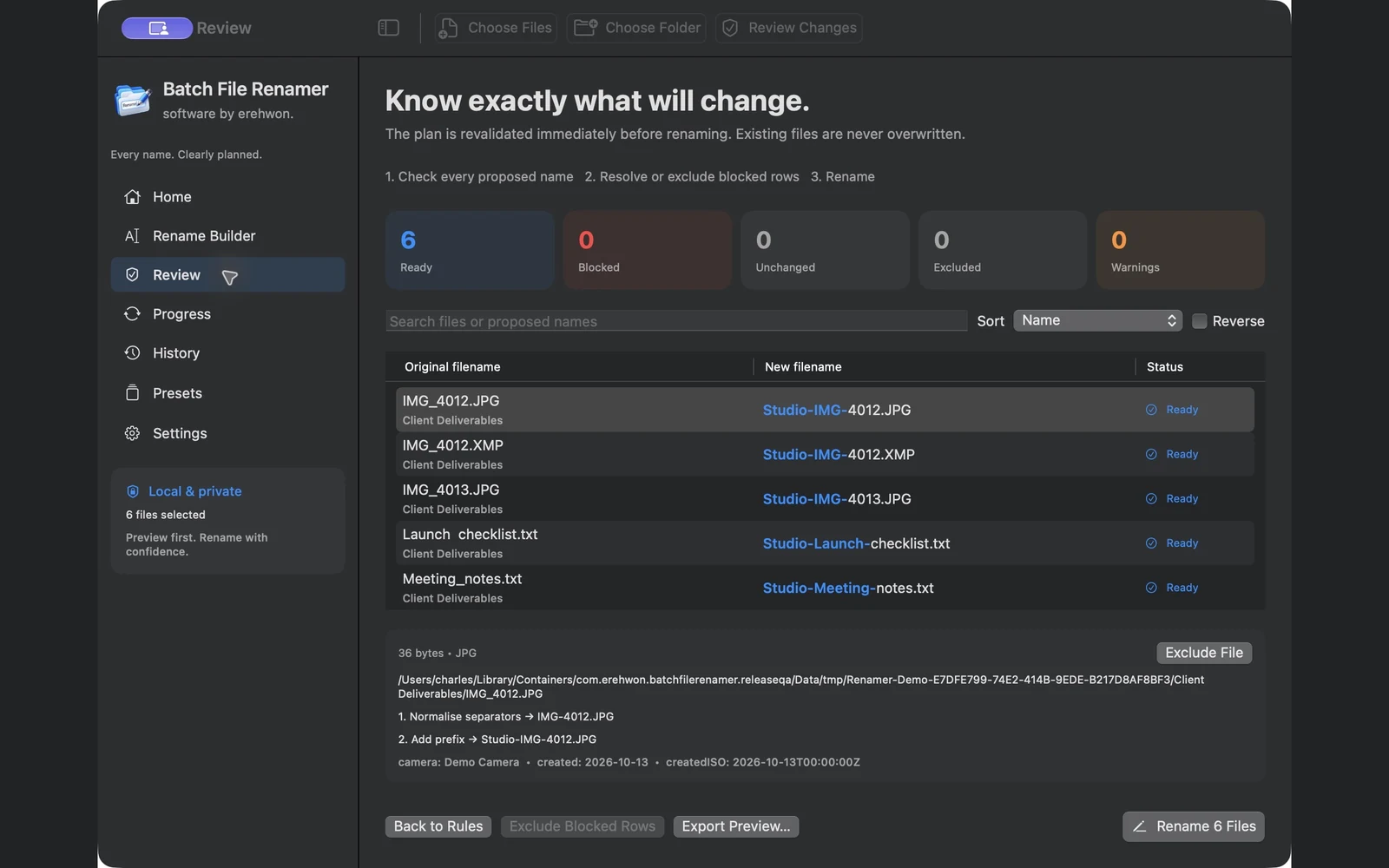
- Review original and proposed filenames together, with collisions and missing information called out.
- Use conditional rules, include/exclude patterns and matching sidecar numbering.
- Build names from supported photo, audio, video and PDF metadata.
- Import a CSV name mapping, save reusable presets and export previews or job logs.
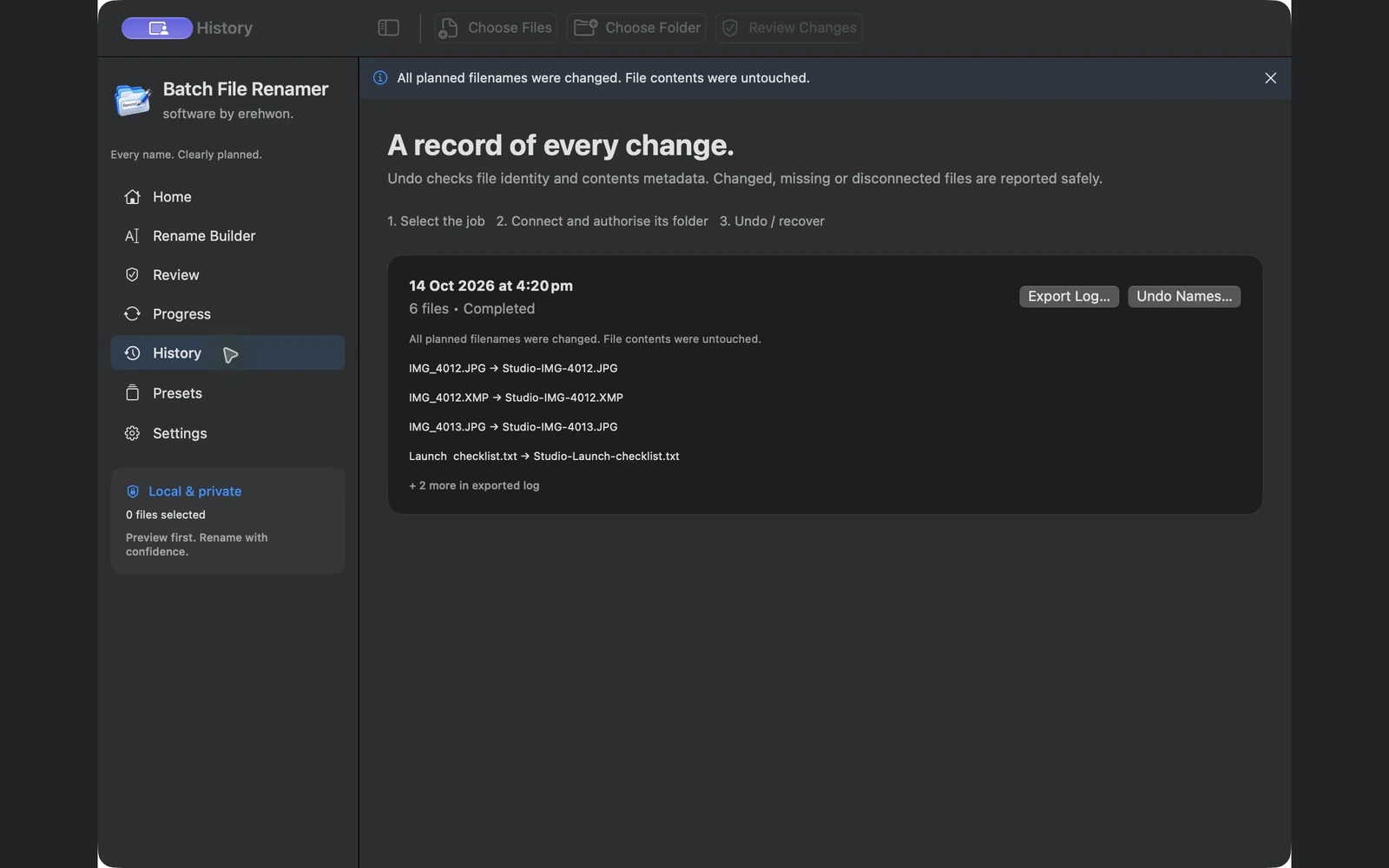
- Use recorded history and identity-checked undo when the original files remain available.
Flexible rules for everyday naming jobs
- Clean inconsistent filenames. Replace text, add prefixes and suffixes, insert or remove characters, trim spaces and normalise separators.
- Control spelling and structure. Change case, normalise Unicode, fold accents and manage extensions separately from the filename.
- Number files in a useful order. Sort by name, path, date or size, reverse the order, number per folder and give matching sidecar stems the same sequence.
- Handle advanced patterns. Use wildcards, supported regular-expression capture groups and conditions that target matching names or extensions. Complex regex patterns are restricted.
- Use information already in your files. Templates support file dates, size, parent folder, available Finder tags, supported image EXIF, readable audio and video metadata, and PDF title, author and page count. Missing fields are shown rather than invented.
- Repeat a proven workflow. Reorder, duplicate or disable rules; save favourite presets; import and export presets; import quoted CSV mappings or an ordered name list.
Review clearly and keep control
- Inspect the result before committing. Search original and proposed names, inspect each rule’s effect, and exclude individual files from a batch.
- Resolve conflicts before renaming. Invalid names and conflicting destinations are blocked. Files stay in their original folders, and existing destination files are not silently overwritten.
- Keep a record. Export the preview or a job log, and use local history to review completed or interrupted operations.
- Restore names when files still match. Journalled undo and recovery check the current files and folders. Edited, missing or disconnected files may prevent restoration; file contents are not backed up.
- Work privately. Processing stays on your Mac with user-authorised folder access, no account, no uploads and no developer analytics.
- Make the workspace your own. Choose System, Light or Dark, show or hide numbered instructions, skip or replay the welcome tour, and use Command H to hide the app without quitting.
A clear path from start to finish
- Choose files or a folder, then grant access to the containing folder.
- Build your rule stack and check the live preview.
- Review the plan, confirm Rename and keep the job history for reference.
Know what to expect
Files keep their existing folders; renaming folders or moving files is outside this version. Metadata availability depends on the format. Undo checks current file identity and cannot guarantee restoration after files have been edited, replaced or moved.
Privacy details · Terms of use · Contact erehwon
Explore more from erehwon
Features in practice
The feature list describes the available tools. These examples explain how they support a practical workflow, what to review and where the limits matter.
Create a consistent naming scheme
Combine replacement, prefixes, suffixes, numbering, dates and case changes in an ordered rule stack. Conditions and include/exclude patterns target the files that need the change.
See the proposed result first
Compare original and proposed names, inspect each rule and resolve collisions or missing metadata before confirming. Files stay in their existing folders; renaming does not organise file contents into new locations.
Reuse information and proven rules
Supported photo, audio, video and PDF metadata can populate filename templates. Presets, CSV mappings and ordered name lists help repeat a naming scheme without entering every name manually.
Retain a record of the batch
Export previews and logs and review local job history. Identity-checked undo depends on the files and folders remaining compatible; it is not a backup of file contents.
Use the compatibility, access and limitation information on this page when choosing a workflow. Sample screenshots illustrate the app; their records and measured results are not a scan of your own Mac.