Your business. Your voice.
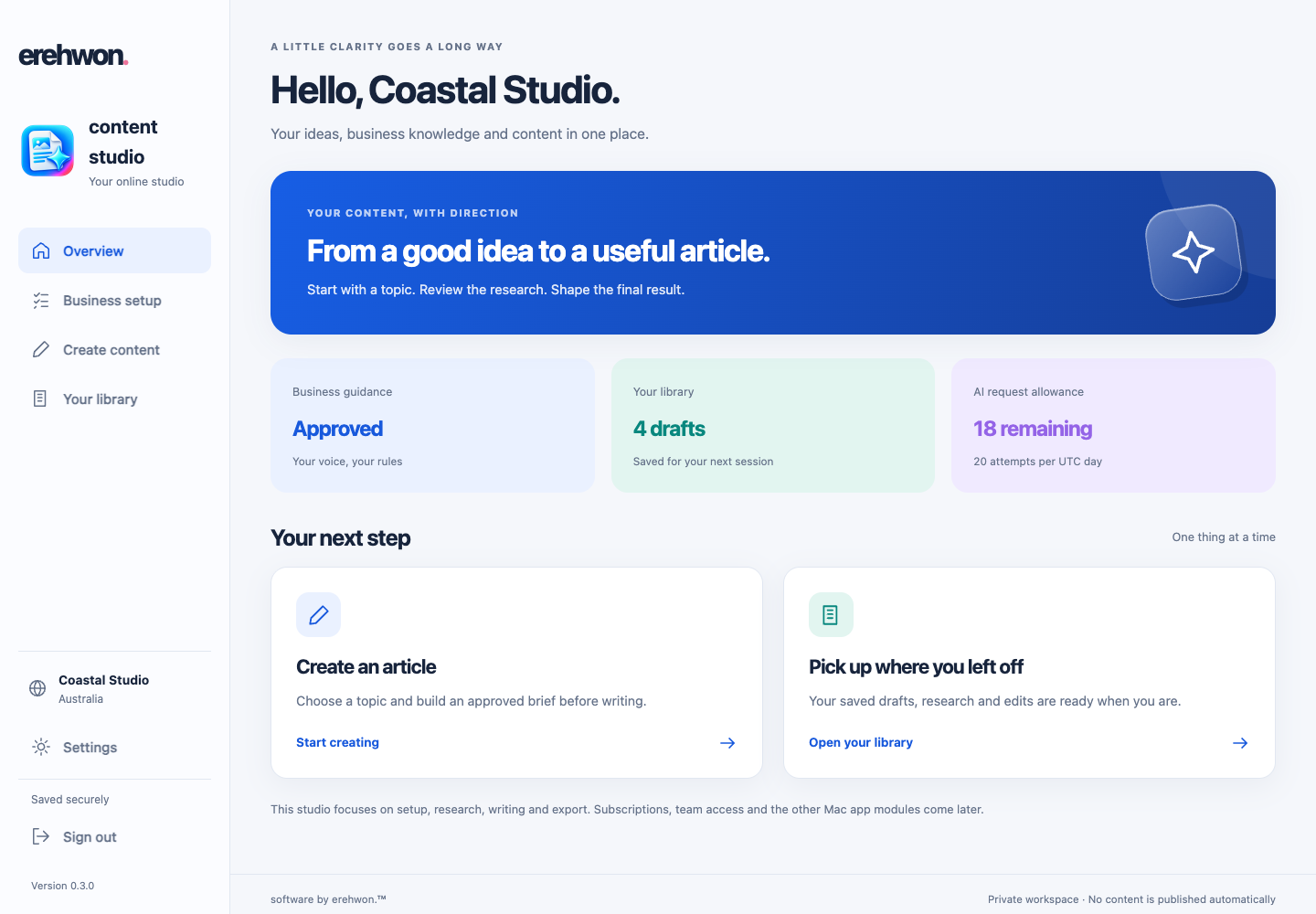
Save your audience, products, tone and writing rules. Start each article with context that fits your business.
 content studio
Turn your business knowledge into useful, original articles. Research, write, refine and prepare them for your website—all in your browser.
Built to support discovery. Rankings and AI citations aren’t guaranteed.
Useful to people. Clear to search engines.
content studio brings research, your brand guidance and editorial review into one process. Find what readers need, add something useful, and keep control of the final result.
Features with a purpose
Save your audience, products, tone and writing rules. Start each article with context that fits your business.
Review leading search results, including competitors, to find unanswered questions and useful angles. Build an original outline before writing.
Writing instructions put the answer in the opening paragraph, with one H1 title and logical H2/H3 sections. Keep the reader moving.
Supply your sitemap and choose a link count. Only verified destinations are eligible, with a fresh check at export.
Use competitor research privately while configured names and domains stay excluded from finished content.
Edit useful FAQs, add optional schema and prepare an SEO title, description, excerpt and URL slug alongside your article.
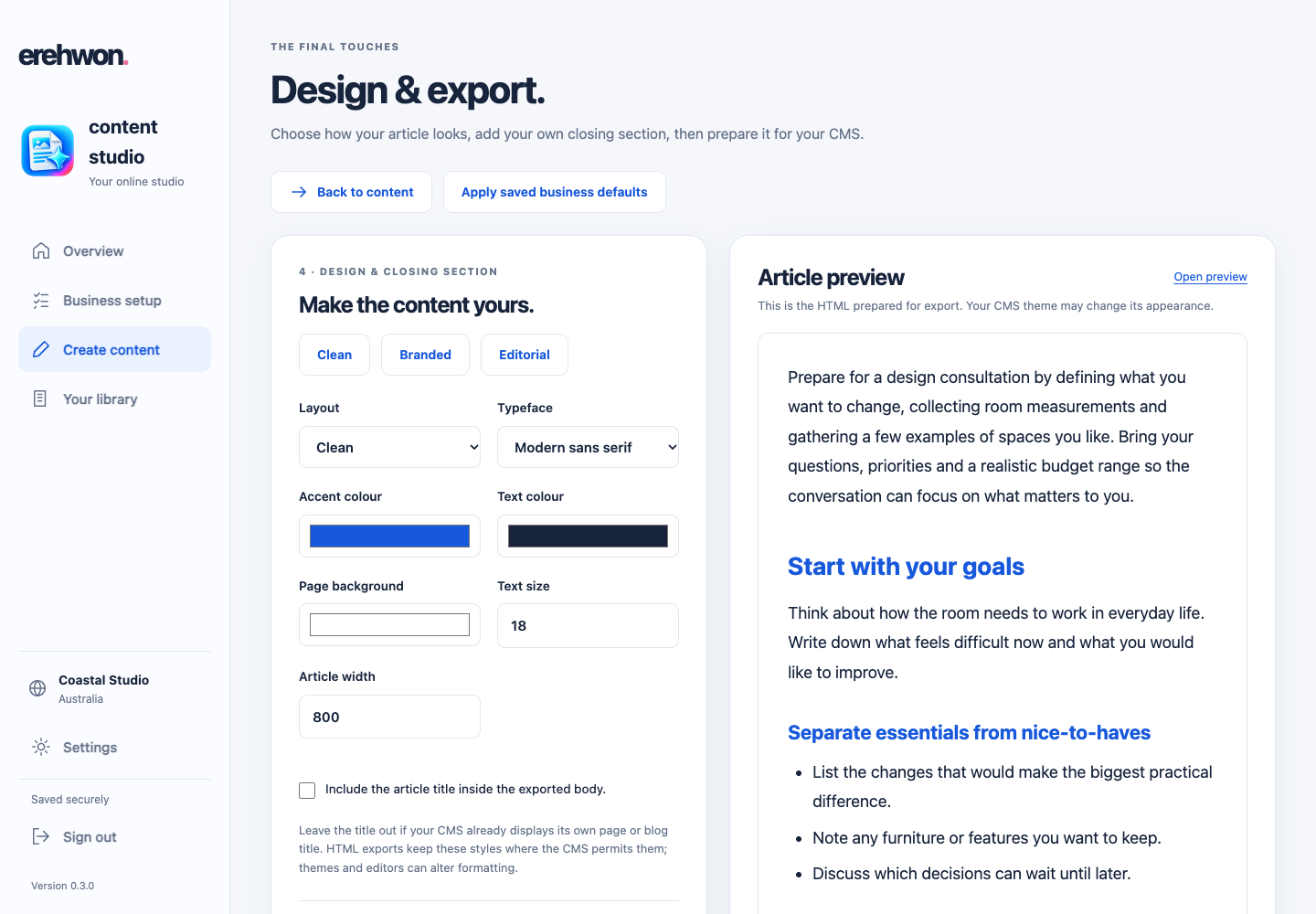
Choose colours, typography and layout. Add your own closing notice or call to action without rewriting it for every draft.
Prepare WordPress, Shopify or other CMS exports. Choose HTML, Markdown or plain text, with metadata and optional JSON-LD.
A clear path from idea to export
Research is a starting point. Your knowledge and review make the content yours.
Add your business, website and sitemap. Choose a topic and what the article should achieve.
Check the source coverage, content gaps and proposed outline. Approve the brief before writing.
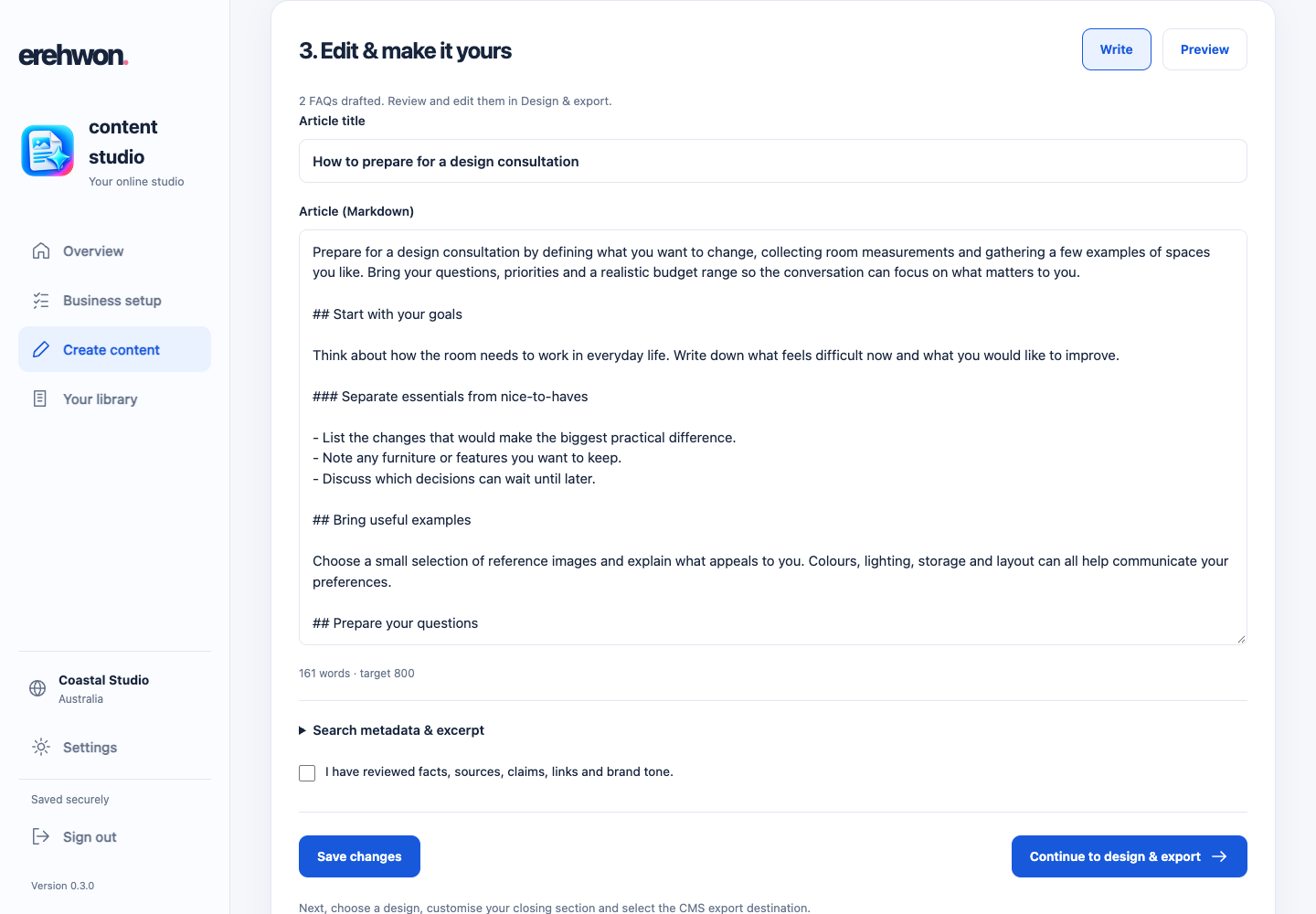
Generate an original draft, then edit the wording, evidence and metadata. Review anything flagged for verification.
Choose a layout, review FAQs and schema, and prepare the content for your website.
Research. Write. Make it yours.
Answer the topic in the first paragraph. Build out practical guidance with descriptive sections, examples and next steps. Refine the wording in the editor and review the preview before moving on.
Your title, meta description, excerpt and suggested URL stay alongside the article, ready for review.
People first, from the start
The writing instructions favour original value, clear answers, relevant evidence and careful review—not keyword stuffing or content produced just to chase rankings.
Google says the same SEO foundations apply to its AI search features. There is no special AI schema that guarantees inclusion.
Designed around published guidance; not certified or endorsed by Google. Technical SEO and editorial responsibility remain with the website owner.
Your words. Your presentation.
Choose colours, type and layout. Review FAQs and optional schema, then add your own closing section—such as a disclaimer, health notice or call to action.
Copy or download HTML, Markdown, plain text and metadata. Optional schema is also available as JSON-LD.
Export prepares your content. Transfer it to your CMS, check the layout and publish when you’re ready. Direct CMS publishing is not currently connected.
Your next article starts here
Sign in to start with your business, your topic and your voice.
A few useful answers
It brings business guidance, topic research, article writing, editing, design and CMS export into one browser-based workflow. Create blog articles and website pages, then review the final content before publishing.
The workflow helps you create original, well-structured content for search and AI discovery. Rankings, indexing and AI citations are not guaranteed. Your expertise, website quality, competition and ongoing content maintenance also matter.
Its writing instructions are built around Google’s helpful, reliable, people-first guidance: answer the question, add original value, support claims and review the result. It is not Google-certified, and no tool can guarantee compliance or a ranking outcome. The site owner remains responsible for the published content.
Yes. Research can review leading search results and competitor pages to identify coverage and gaps. Add competitor names and domains in Settings; configured names and links are blocked from generated articles, FAQs, metadata and exports. Add alternate names to your exclusions too.
Add your website and optional sitemap, such as https://yourbusiness.com.au/sitemap.xml. Choose 0–8 distinct internal links per article. With a sitemap configured, candidates come from that sitemap. Destinations are checked before generation and again before export; inaccessible links block the export. Fewer links may be used when fewer relevant pages can be verified.
Yes. Edit the brief, article, metadata and FAQs. Choose typography, colours and layout, then add an optional custom closing section such as a disclaimer, health notice or next steps. Save business design defaults for new drafts.
It prepares exports for WordPress, Shopify blog posts, Shopify pages and other CMS platforms. Copy or download the content, transfer it to your CMS and preview it before publishing. It does not currently publish directly to those platforms.
No. Optional article and FAQ JSON-LD describes your content; FAQ markup matches the visible questions and answers. It does not guarantee rich results or AI citations. Google says no special schema is required for its AI search features. Your CMS may already provide schema, so check for duplicates.
Yes. Review sources, links, product details, claims, dates and tone. Research and generated writing can contain mistakes. Commercial details may need a fresh check; health, legal and financial topics may require qualified expert review.
No installation is needed: content studio runs in your browser. Existing account holders can sign in. To request access, contact hello@erehwon.com.au. Public self-service registration and subscription checkout are not currently available.
Examples on this page use sample business content. Generated content should be reviewed before publication.