Read the system state accurately
The app reports macOS thermal-pressure state and interval CPU load with power and battery context. These observations should not be described as guaranteed direct hardware temperature-sensor readings.
All apps / Mac Temperature Monitor
Utilities · Mac
Follow your Mac’s thermal pressure, CPU load and power state with local history and a lightweight menu-bar view.
Free
Free download
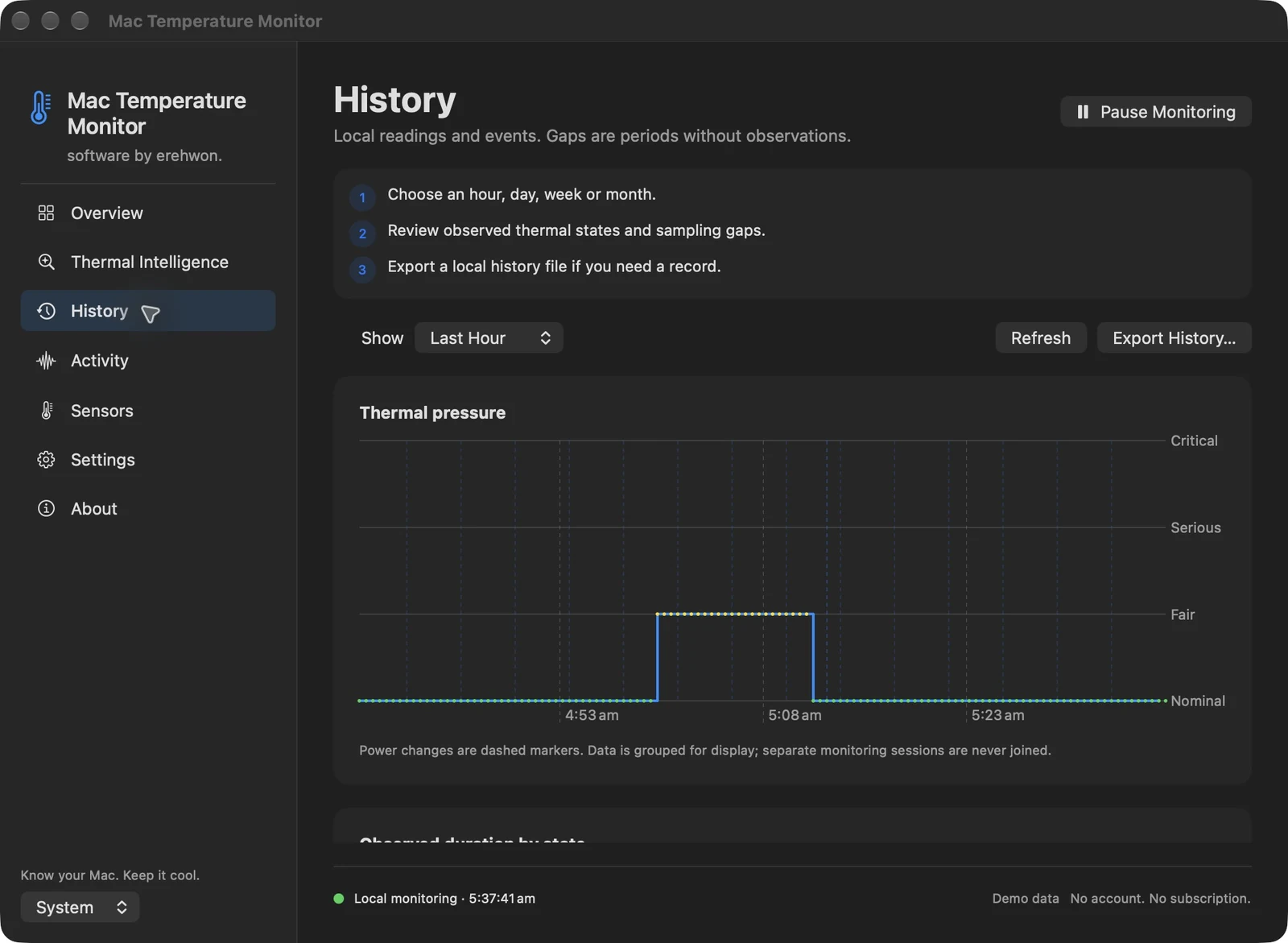
Choose your task, follow the numbered steps and review the result. You can hide instructions or turn off the startup walkthrough in Settings.
System observations and history stay local. No app analytics or account.
Store edition uses public APIs and does not report CPU/GPU temperatures or fan RPM. The direct edition reads supported hardware sensors; availability varies. No fan control or medical/safety claim.
The feature list describes the available tools. These examples explain how they support a practical workflow, what to review and where the limits matter.
The app reports macOS thermal-pressure state and interval CPU load with power and battery context. These observations should not be described as guaranteed direct hardware temperature-sensor readings.
Local charts and configurable sampling/history retention help examine recorded changes. Sampling intervals and pauses affect what the history can show.
Menu-bar status and pause/resume controls let you choose when to observe. Optional activity observations add context without establishing that one app caused a thermal event.
History controls and exports help save observations for further investigation. The app observes supported system information; it does not claim to repair cooling hardware or override thermal protections.
Use the compatibility, access and limitation information on this page when choosing a workflow. Sample screenshots illustrate the app; their records and measured results are not a scan of your own Mac.