Identify exact duplicate content
Content hashing and exact groups separate byte-level duplicate evidence from matching names. Choose authorised folders and review the scope and exclusions.
All apps / Duplicate File Finder
Utilities · Mac
Find byte-verified duplicates across chosen folders and drives, compare folders and review every cleanup.
A$11.99
One-time purchase · AUD
Includes GST for Australian purchases.
Secure checkout with Stripe.
Downloads open after the final checkout and release checks.
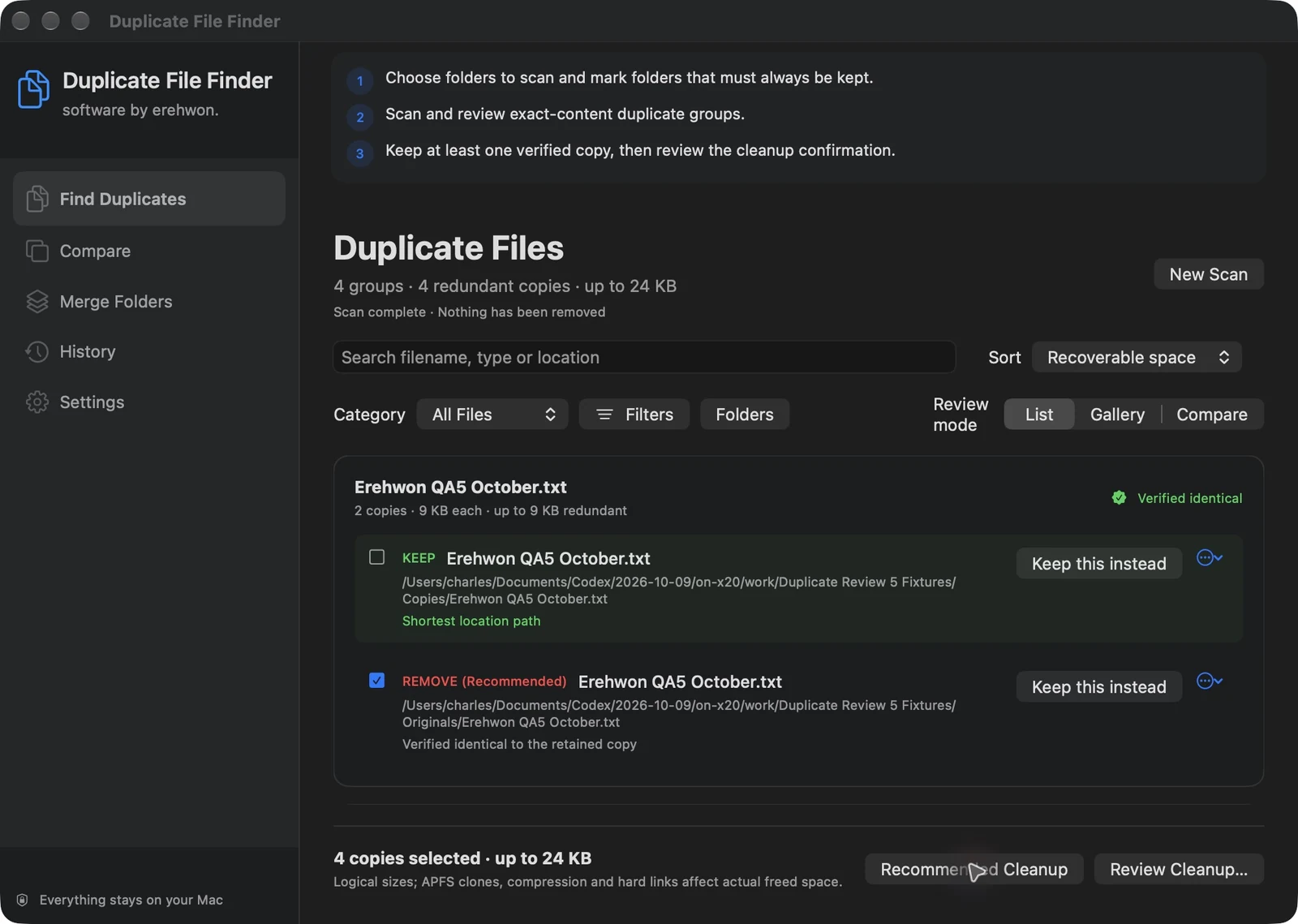
Choose your task, follow the numbered steps and review the result. You can hide instructions or turn off the startup walkthrough in Settings.
File paths, hashes, scan sessions and cleanup records stay local. No app analytics or account.
Exact duplicates only. Protected packages, system areas and cloud-only placeholders are excluded. Scan My Mac means accessible personal scope.
The feature list describes the available tools. These examples explain how they support a practical workflow, what to review and where the limits matter.
Content hashing and exact groups separate byte-level duplicate evidence from matching names. Choose authorised folders and review the scope and exclusions.
List/gallery views, previews and metadata help select a retained copy. Always Keep locations and explainable keep rules provide additional control.
File/folder comparison and a merge dry-run show proposed work and conflicts before a change. Review destinations rather than treating a comparison as permission to overwrite.
Retained-copy checks run before supported Trash or safe-move actions. Review the history; recovery depends on the moved material and required access still being available.
Use the compatibility, access and limitation information on this page when choosing a workflow. Sample screenshots illustrate the app; their records and measured results are not a scan of your own Mac.